I’ve been using Claude Code extensively for the past few months. One day, while working on a startup consulting project, I needed to reference an analysis Claude had helped me with. I had discussed alternatives, evaluated tradeoffs, and settled on a design approach for an Architecture Decision Record (ADR). But I hadn’t asked Claude to generate the usual markdown report.
The analysis was gone from my immediate context. Somewhere in the conversation history, buried across multiple platforms where I work.
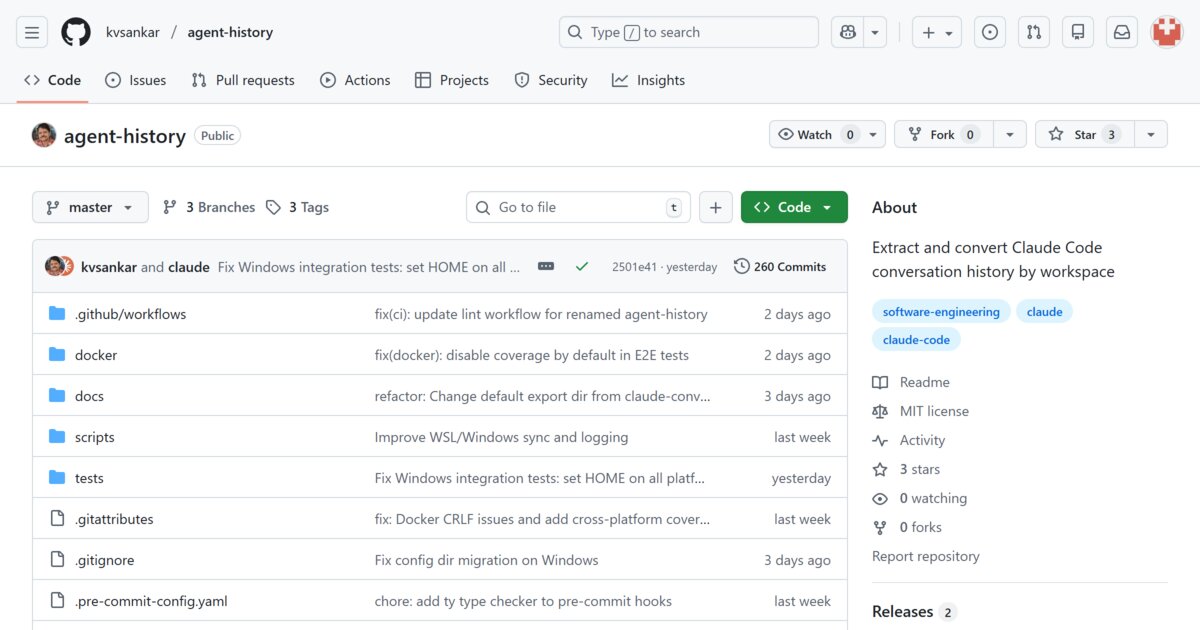
This is the story of how I built claude-history to solve this problem.
The Inspiration
Simon Willison’s writing on Claude has been consistently educational. His Observable notebook for converting Claude JSON to Markdown and discussions about extracting learnings from conversation history to improve future interactions caught my attention.
The idea is simple: your conversations with Claude contain valuable context - design decisions, debugging sessions, research threads. If you can extract and reference them, you can work more effectively.
Tools like claude-conversation-extractor exist, but they didn’t fit my workflow. I needed something that could:
- Filter by workspace/project, not just session IDs
- Work across Windows, WSL, and Linux VMs (where I run the same projects)
- Help me generate insights and track usage
- Link related workspaces that had been renamed or moved
First: Prevent Data Loss
Before anything else, if you’re using Claude Code, check your ~/.claude/settings.json. By default, Claude Code deletes conversation history after 30 days. I learned this the hard way.
Add this to preserve your history:
{
  "cleanupPeriodDays": 99999
}
No point building a history tool if your history keeps disappearing.
One more housekeeping item: if your Claude data lives on a different drive (common when running WSL or backing up to an external disk), set CLAUDE_PROJECTS_DIR before running the CLI so it knows where to look:
export CLAUDE_PROJECTS_DIR=/mnt/windows/Users/me/.claude/projects
claude-history lsw
My Cross-Platform Reality
I work on astronomy-related projects that need to run on Windows, WSL, and Linux. My typical workflow: push code from one platform, pull and continue on another. The claude-history tool itself was developed this way.
This means my conversation history for a single logical project gets scattered across environments. When I needed to find that missing ADR analysis, I had to figure out: which platform was I on? When did that conversation happen?
What I Built
claude-history is a single-file Python CLI with zero external dependencies. It reads the JSONL files Claude Code stores in ~/.claude/projects/ and exports them to readable Markdown.
Full CLI help (-h)
$ claude-history --help
usage: claude-history [-h] [--version]
                      {lsw,lss,lsh,export,alias,stats,reset,install} ...

Browse and export Claude Code conversation history

positional arguments:
  {lsw,lss,lsh,export,alias,stats,reset,install}
                        Command to execute
    lsw                 List workspaces
    lss                 List sessions
    lsh                 List homes and manage SSH remotes
    export              Export to markdown
    alias               Manage workspace aliases
    stats               Show usage statistics and metrics
    reset               Reset stored data (database, settings, aliases)
    install             Install CLI and Claude skill

options:
  -h, --help            show this help message and exit
  --version             show program's version number and exit

EXAMPLES:

  List workspaces:
    claude-history lsw                        # all local workspaces
    claude-history lsw myproject              # filter by pattern
    claude-history lsw -r user@server         # remote workspaces

  List sessions:
    claude-history lss                        # current workspace
    claude-history lss myproject              # specific workspace
    claude-history lss myproject -r user@server    # remote sessions

  Export (unified interface with orthogonal flags):
    claude-history export                     # current workspace, local home
    claude-history export --ah                # current workspace, all homes
    claude-history export --aw                # all workspaces, local home
    claude-history export --ah --aw           # all workspaces, all homes

    claude-history export myproject           # specific workspace, local
    claude-history export myproject --ah      # specific workspace, all homes
    claude-history export file.jsonl          # export single file

    claude-history export -o /tmp/backup      # current workspace, custom output
    claude-history export myproject -o ./out  # specific workspace, custom output

    claude-history export -r user@server      # current workspace, specific remote
    claude-history export --ah -r user@vm01   # current workspace, all homes + SSH

  Date filtering:
    claude-history lss myproject --since 2025-11-01
    claude-history export myproject --since 2025-11-01 --until 2025-11-30

  Export options:
    claude-history export myproject --minimal       # minimal mode
    claude-history export myproject --split 500     # split long conversations
    claude-history export myproject --flat          # flat structure (no subdirs)

  WSL access (Windows):
    claude-history lsh --wsl                        # list WSL distributions
    claude-history lsw --wsl                        # list WSL workspaces
    claude-history lsw --wsl Ubuntu                 # list from specific distro
    claude-history lss myproject --wsl              # list WSL sessions
    claude-history export myproject --wsl           # export from WSL

  Windows access (from WSL):
    claude-history lsh --windows                    # list Windows users with Claude
    claude-history lsw --windows                    # list Windows workspaces
    claude-history lss myproject --windows          # list Windows sessions
    claude-history export myproject --windows       # export from Windows
The key insight was making home (where) and workspace (which) filtering orthogonal:
# Current workspace, local only
claude-history export

# Current workspace, all homes (local + WSL + Windows + SSH remotes)
claude-history export --ah

# All workspaces, all homes
claude-history export --ah --aw
Workspace Aliases: Linking Scattered Projects
During development, I kept renaming the project - claude-sessions, claude-conversations, claude-history. Each rename created a new workspace directory in Claude’s storage. Across three platforms, I had fragments everywhere.
The alias feature lets me group them:
# Create an alias
claude-history alias create claude-history

# Add workspaces by pattern from different homes
claude-history alias add claude-history claude-sessions
claude-history alias add claude-history claude-conversations
claude-history alias add claude-history --windows claude-history
claude-history alias add claude-history -r user@vm01 claude-history

# Now I can query everything together
claude-history lss @claude-history
Here’s what that looks like across my local workspaces (current name + older rename) and a remote Linux VM—paths are redacted with ...:
$ claude-history lss --ah @claude-history

Using alias @claude-history (use --this for current workspace only)
HOME                    WORKSPACE                                   FILE                    MESSAGES  DATE
local                   /home/.../projects/claude-history          3b4191bc-055f-4752-9029-1c69e29f5d3a.jsonl      2612  2025-12-04
local                   /home/.../projects/claude-sessions         be3d3632-e442-436e-987a-d427e1d7b08b.jsonl      2347  2025-11-22
remote:sankar@ubuntuvm01  /remote_ubuntuvm01_home/.../claude-history 895cefac-8e43-4dfe-8574-7b6636fdd428.jsonl       890  2025-11-30
...
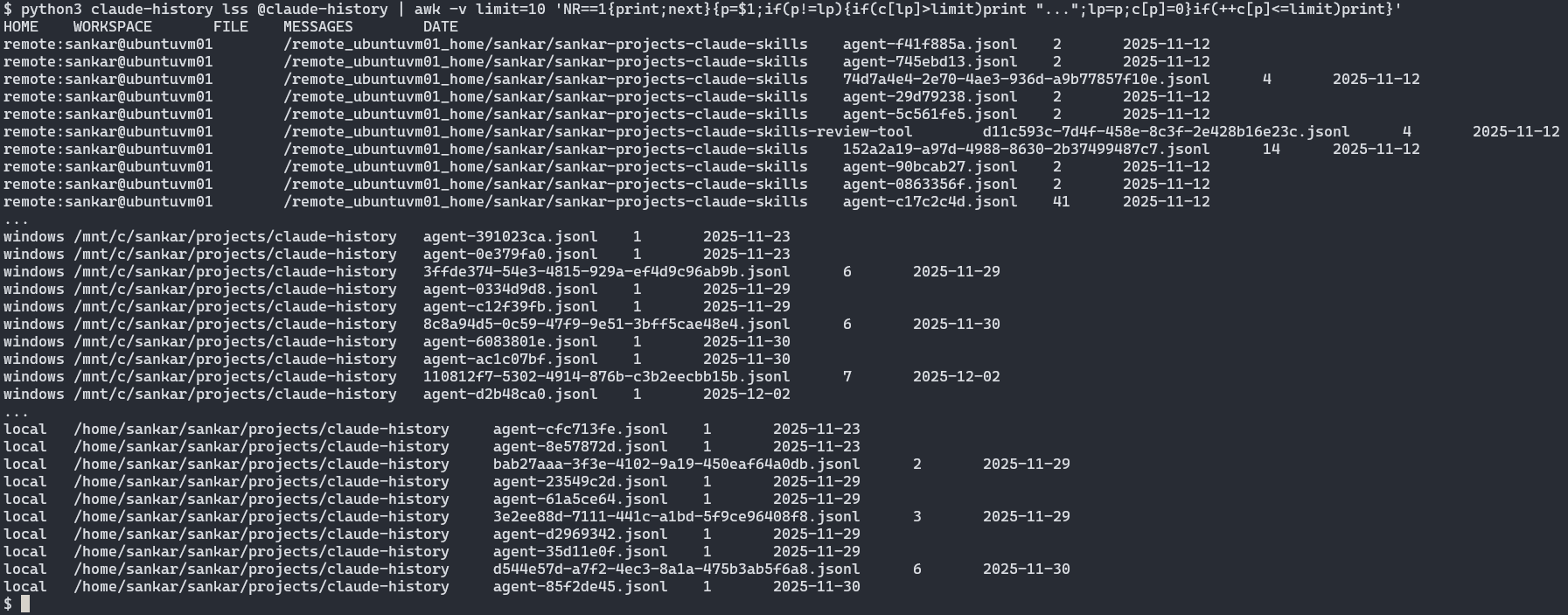
One logical project, multiple homes, unified view.
Use Cases I Didn’t Expect
Generating Specifications from Conversations
The best example of this is my Chandrayaan Mission Design project. It started as an astronomy outreach tool—an interactive sandbox that middle-school students could use to explore mission design ideas around Chandrayaan-3. I iterated quickly with Claude, but never paused to write a traditional spec.
Later, when I needed documentation, I exported the relevant sessions with claude-history and turned that transcript into the formal specification that now lives in docs/specs/spec.md. The history captured the problem space—what students needed, what constraints mattered, the educational goals. The code, meanwhile, only reflected the solution.
Here’s an excerpt from those exports that made it straight into the spec:
Problem Statement
We need a pared-down mission-design sandbox that middle-school students can use during outreach sessions.
- Inputs: launch date, target orbit, payload mass (preset presets OK)
- Outputs: simple delta-v budget, textual mission plan, SVG visualization
- Constraints: runs in browser, no install, offline fallback (PDF handout)
That text came directly from the conversation history—no rewriting, no guessing. claude-history let me capture the intent at the moment it was articulated and crystallize it into a working specification later.
Time Tracking
I originally added stats --time for curiosity, but it quickly became a practical tool. While wrapping up a consulting engagement, I wanted to understand how much of my deliverable time was spent collaborating with Claude versus research or meetings. Running claude-history stats @consulting-project --time produced a defensible record of “hands on keyboard with Claude” hours that I could compare against my invoice and status reports.
Here’s a representative output (I keep snapshots like this in the project notes):
$ claude-history stats @claude-history --time

============================================================
TIME TRACKING
============================================================

Time
   Total work time: 42h 43m
   Work periods: 51
   Session files: 68
   Date range: 2025-11-20 to 2025-12-03

Daily Breakdown

Date            Work Time    Periods   Messages  Bar (time)
----------------------------------------------------------
2025-12-03         4h 57m          2       1949  ####################
2025-12-02         1h 26m          2        506  ####
2025-12-01          1h 3m          1        243  ###
2025-11-30         9h 28m          5       3217  ####################
2025-11-29         4h 33m          7       1580  ###############
2025-11-24             6m          1         82  #
2025-11-23         3h 28m          7        597  ###########
2025-11-22         5h 32m          7       1727  ################
2025-11-21         6h 50m         10       1327  ####################
2025-11-20         5h 15m          9       1176  ################
----------------------------------------------------------
TOTAL             42h 43m         51      12404  ####################
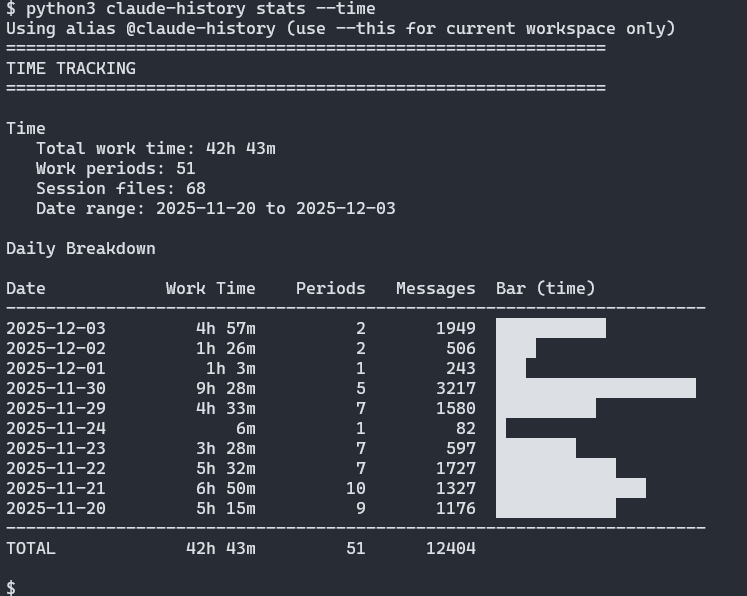
This helped with my consulting project - I had a rough sense of time spent, but Claude gave me realistic figures. Note that this measures active interaction time. Requirements gathering, meetings, and thinking happen outside the tool.
A Design Decision: Stdlib Only
Early in development, I explored adding CLI interactivity - things like interactive menus, colored output, progress bars. Libraries like rich or click could have helped, but they’d introduce external dependencies.
I decided against it. The tool stays Python standard library only - a single file you can copy anywhere and run. No pip install, no virtual environments, no dependency conflicts.
This constraint shaped the design in good ways. The output is plain text that pipes well to other tools. The code stays focused. And when I need to run it on a new machine, I just copy the file.
The Meta Moments
Building a tool to analyze Claude Code conversations using Claude Code creates interesting loops:
- I used
claude-historyto test itself across platforms - I exported conversations and fed them back to Claude for insights on my own usage patterns
- The development history became test data
Looking at the exported sessions, you can see the project evolving - command-line arguments changing as I iterated on what felt intuitive, features emerging from actual use rather than upfront planning.
If you want the broader lessons from those transcripts—how to structure Claude collaborations, how to set expectations, and how to keep documentation in lockstep—I captured them in a public-facing Claude Collaboration Playbook. It’s the distilled playbook I now hand to every new Claude session before we start shipping.
What’s Next
Two threads are already underway:
- Agent-agnostic history: Claude is still my primary coding partner, but I’m experimenting with ingesting exports from other coding agents—Gemini CLI, Codex CLI, Cursor, etc.—so the tool can normalize them and give a unified view regardless of where the conversations started.
- Cross-home timelines: A combined conversation history that spans every environment (local, WSL, Windows, SSH) is in progress. The idea is a chronological feed—CLI + HTML export—that lets me replay a feature build from start to ship, regardless of which machine I was on.
Getting Started
The tool is available on GitHub: github.com/kvsankar/claude-history (MIT License)
# Download and make executable
curl -O https://raw.githubusercontent.com/kvsankar/claude-history/main/claude-history
chmod +x claude-history

# List sessions from current project
./claude-history lss

# Export current project to markdown
./claude-history export

# Optional: point at a different Claude data directory
CLAUDE_PROJECTS_DIR=/mnt/windows/Users/me/.claude/projects ./claude-history lss

# Drop it in your PATH for convenience
mv claude-history ~/bin/
hash -r && claude-history --version
For Windows, run with python claude-history lss.
Acknowledgments
Thanks to Simon Willison for his consistently high-signal, educational writing on working with LLMs. His posts on conversation extraction and using history for better context directly inspired this project.
Discussion
Your Claude Code conversation history is more valuable than you might think. It contains design decisions, debugging sessions, research threads, and iterative refinements. With a bit of tooling, you can search it, learn from it, and reference it when that context matters most.